For provisioning of ESX hosts, vCenter leverages a technology called Host Profiles, these profiles can be associated with a cluster so when you add capacity to your cluster, the host profile is automatically applied to your new host. It also facilitates compliance monitoring and remediation.
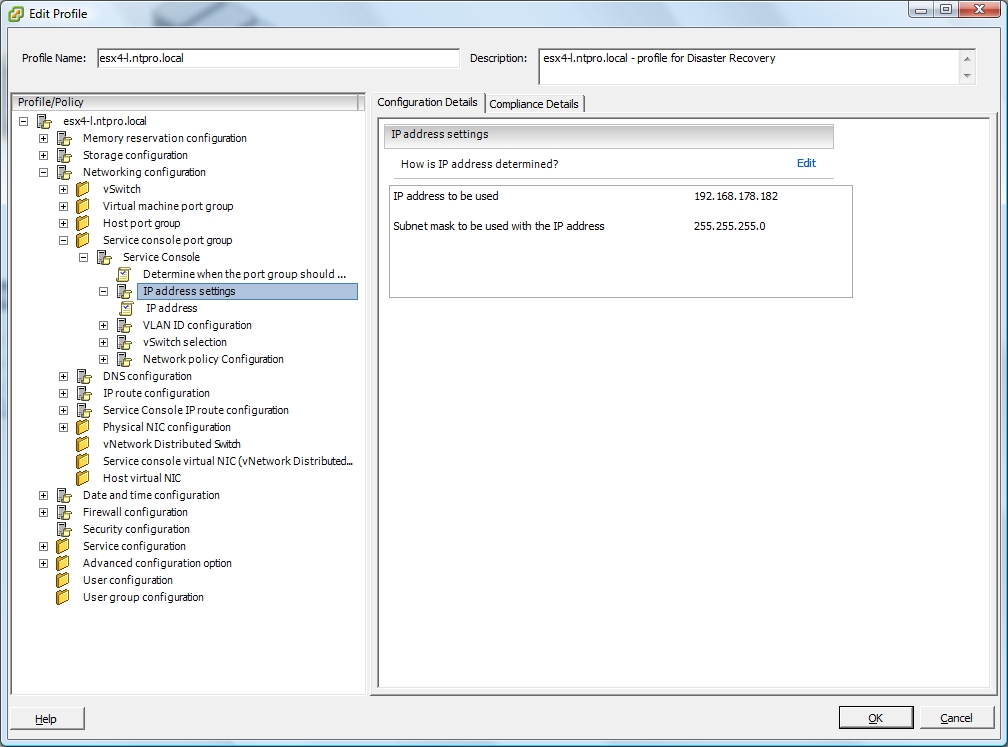 But it can also be used for disaster recovery. A host profile captures the configuration of a specific host. This profile can then be used to configure a newly added host based on the profile of your crashed host. The first step is to create a profile for every ESX host, this means that every host will function as its own reference host. After creating all the host profiles, the individual profiles can be customized. In this step we’re going to customize every individual host profile and change the setting where a user is prompted for an IP address, these prompts must be replaced with a specific fixed setting. The prompts are typically found at for instance the service console and the kernel port group. When one of your ESX servers is broken you just have to add an empty host to the cluster and make it compliant with one of your disaster recovery templates. There’s also the possibility to export the disaster recovery host profile to an VMware Profile Format XML file. Steven Jans thanks for the inspiration.


