 I’ve enjoyed a full week of vacation last week but while I was offline there was happening a lot in the virtualization world. One thing I’ve missed was the launch of PowerWF Studio version 2.0. Although the Devfarm team was kind enough to give me a heads up about their pending release, I didn’t have enough bandwidth and time to download and test their evaluation copy. Now the suitcases are unpacked and I worked my way through a mega full inbox. It’s time to get started with the new release which marks a huge leap forward in the versatility and ease-of-use of PowerWF Studio.
• Extensive testing and user feedback ensure that this is the most versatile, stable and feature-rich version of PowerWF ever.
• Focusing on new users and real-world test cases have made learning PowerShell with PowerWF incredibly easy:
• Revised Help and Getting Started Guide ease the learning curve.
• Integrated examples allow sample workflows to be created directly from Help topics.
• Wizards have been added to simplify adding Input and Output parameters and deploying workflows to the PowerWF Agent.
• User Interface improvements have been made throughout the application.
• Major enhancements were made to several key areas:
• Parameterize workflows with step-by-step creation wizards and redesigned management dialogs.
• Create Workflows directly from PowerShell PS1 files or the embedded PowerShell editor. Over 500 real-world PowerShell scripts have been successfully converted and tested by the Devfarm team.
• 40% improvement in overall application performance.
• Improved Plug-In Manager with support for removing PowerShell Snap-Ins and Modules from both PowerWF and the PowerShell environment.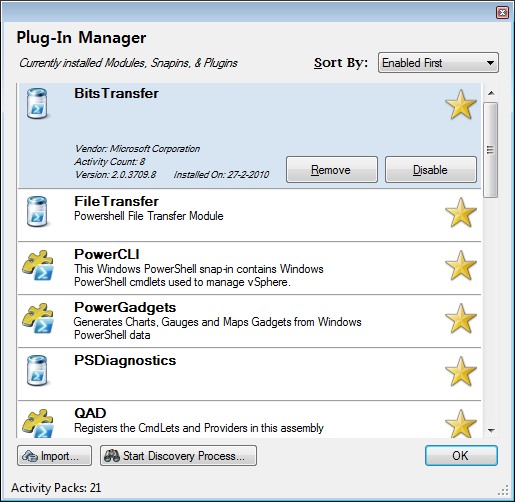 After downloading and installing the PowerWF Ultimate Edition, the Plug-In Manager started the discovery process, all the currently installed modules, snapins and plug-ins popped up one by one.
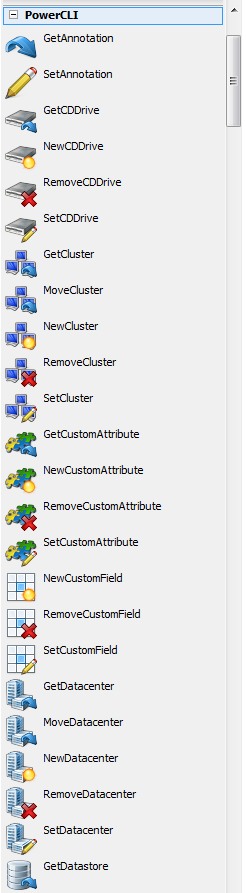
I first opened up the PowerCLI item in the toolbox and every VMware command-let I could think of was there. The dragging and dropping begun and within a minute I produced my first workflow. It worked :-) the guys (and I’ve noticed some nice girls on their website) over at Devfarm really kept their promise, they created an awesome product which is going to rock your world. 30 day evaluation copies and pricing information are available now at PowerWF.com. Here is my little Jing movie.


