Vsphere targets the mobile user with live feed "WHEN" the user wants it. The mobile device can be undefined, the mobile browser undefined as well as any computer [ Local / Remote ] should be able to connect to vsphere. How does VSphere Work ? VSphere functions at 3 levels: The Image Server. The camera System. Connecting Clients - Local and Remote. Vsphere converts the computer on which it is loaded into a image server. The application then connects to the attached cameras. You can specify video codec, video display, video format and the video source for each camera connected. The properties page that will be displayed for each element will depend on the type of camera[s] connected to the system.
Saturday, 20 December 2008
vSphere, name already taken?
Vsphere targets the mobile user with live feed "WHEN" the user wants it. The mobile device can be undefined, the mobile browser undefined as well as any computer [ Local / Remote ] should be able to connect to vsphere. How does VSphere Work ? VSphere functions at 3 levels: The Image Server. The camera System. Connecting Clients - Local and Remote. Vsphere converts the computer on which it is loaded into a image server. The application then connects to the attached cameras. You can specify video codec, video display, video format and the video source for each camera connected. The properties page that will be displayed for each element will depend on the type of camera[s] connected to the system.
Friday, 19 December 2008
PowerGUI’s VMware Powerpack available for download
Just wanted to let you know that the download and updated information is available on the PowerGUI website at the following link.
- Reorganized the PowerPack structure to facilitate easier management of multiple hosts and to allow users to retrieve objects from one or more of the hosts they are managing whether they are already connected or not.
- Added support for browsing the VMware Inventory hierarchy (includes Hosts and Clusters, Virtual Machines and Templates, Networks and Datastores), including being able to browse directly into the file system on the datastores.
- Added many new links and actions.
- Exposed many more VMware Infrastructure objects through topological views and through integration in the hierarchy.
- Improved the performance of many nodes, links and actions.
- Added single sign-on support (note that connecting to multiple hosts using the same username but different passwords is currently not supported, but we are working on that and will provide support for this soon).
- Tested management against Virtual Center 2.0, ESX 3.0x and 3.5, ESXi 3.5 and Virtual Server 2.0 (note: management of Virtual Center 2.0 requires version 1.0 of the VMware VI Toolkit).
- And more!
VMFAQ.com | FAQing about virtualization since 2008
I received a message from Twitter telling me that lasrstr is following my updates. Before I’m following back, I checked out his profile and discovered vmfaq.com. This website is all about frequently asked questions regarding VMware like “I need more performance out of my VMware environment”. Lars Troen from Norwegian also created a nice little tool called vmktree, a free web tool that shows you the graphs of resource usage of VMware ESX Server, VMware Server (on Linux), GSX Server (on Linux) and a few other data center devices (ilo/ilo2/rsa2/ds4000). On VMware Server (and GSX) and ESX 3.x vmktree provides it’s own agent that collects system statistics and does not depend on vmkusage like it does on ESX 2.x. The version for ESX3.x is still in beta and is available for download here.
Rich Brambley unwrapped Veeam's holiday gift
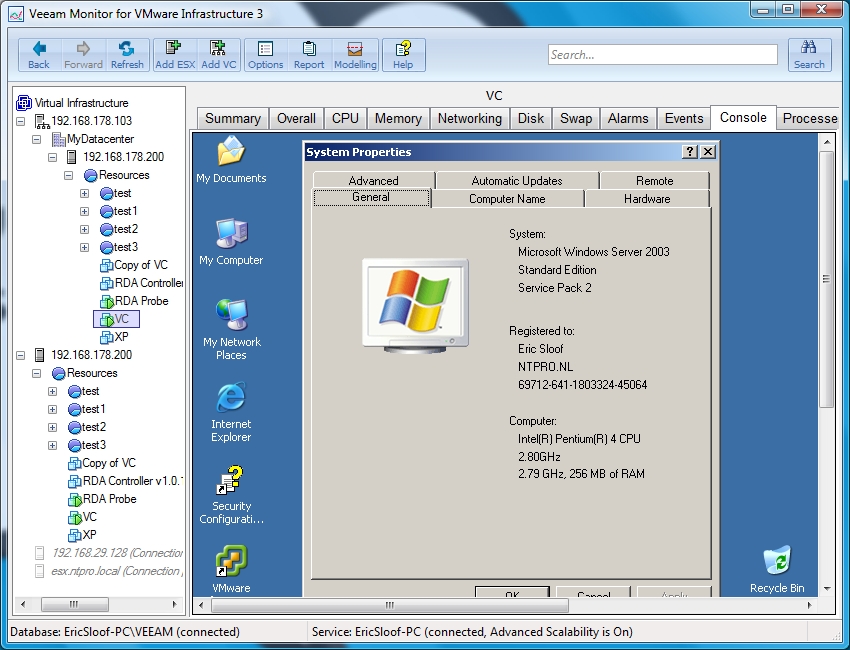
Rich Brambley over at VM/ETC did some great research, he found out what Veeam’s Christmas holiday gift will be. It’s Veeam’s Monitor 3.0, a tool for performance monitoring, capacity planning and troubleshooting for your entire VMware Infrastructure Veeam Monitor is an easy to deploy, framework-independent VMware monitoring solution that was created expressly to help you better manage the health and performance of your VMware Infrastructure 3 (VI3) environment. Veeam Monitor provides support for troubleshooting and issue resolution, as well as trend reporting and capacity planning - equipping you to proactively manage ESX / ESXi infrastructure system health and performance today and over the long term.
Veeam will be unveiling a new free tool is on Dec. 22 – everyone who registers will automatically receive a download link that day via e-mail. This holiday gift is marked “do not open until Dec. 22.”
| veeam @rbrambley Veeam does not comment on speculation or rumorsvr, dec 19 15:16:54 from digsby in reply to rbrambley
|
Quest completely integrates VMware PS into new version of PowerGUI
• Dynamic Nodes – This allow users to navigate their VMware PowerShell management as if they were using VirtualCenter.
• Support for a broader range of VMware VI Toolkit Cmdlets.
• Integration with the VMware SDK for advanced actions not yet supported by the VMware VI Toolkit.
• Support for the upcoming VMware VI Toolkit 1.5 release.
Thursday, 18 December 2008
VVP enrolment date announcement at the Communities Roundtable
I attended the VMware Communities Roundtable yesterday evening and had a chat with John Troyer about the huge success of the Dutch VMUG event. I wasn’t the only one online. You can also listen to discussions about VMware Mobile and the “Read Only” SDK in the ESX 3i free versions.
Guys like esiebert7625, jasonboche, jonowings, knudt, rick_vmwaretips, sbeaver, alanrenouf, bscheitel, deason_uk, depping, GabesVirtualWorld.com, Maish_SK, Rod Haywood (rodos), stumchugh, Svenh , astorrs, MatthewJohnson and Scott Lowe were also participating in the discussions. John announced the enrolment date of the new VMware Virtualization Professional Program “VVP”. It’s going to happen by the end of this week, the first VVP’ers will be nominated in January.
Wednesday, 17 December 2008
Locked out of vCenter ?
When you’re locked out of your vCenter Server because someone has assigned the “Read-Only” role to the “Domain Users” group and has set the permissions at the highest level, you’re in deep trouble. You can log on to vCenter but can’t change anything because your Administrator account is also a “Domain User”. There are several ways to fix this problem. First of all never use default Windows groups to create VC roles. Second there’s an easy way and a hard way.
The easy way is to shutdown VC and disable authorization checks by adding:
<security>
<enabled>false</enabled>
</security>
within the <config> tags of vpxd.cfg. Start VC and remove the permission, then shut it down and turn security back on again by removing these tags.
The hard way is to open the VC SQL database and open the table : VPX_ACCESS, then add another row :
ID: 1
Principal : Administrators
Role_ID : -1
ENTITY_ID : 1
FLAG : 3
Afterwards you need to restart the vCenter Server services. Credits to Koen Warson and Phil Cohen.
Dutch VMUG 2008 | The photos are online
Maurizio Carli General Manager VMware's EMEA region
Maurizio Carli is responsible for strategic planning, business operations and management of key functions for the region, including sales, channels, services and marketing. He will report directly to Carl Eschenbach, Executive Vice President of Worldwide Field Operations, for VMware.
In the past Carli was EMEA Enterprise Managing director at Google, SVP/GM EMEA at Business Objects and VP Software Group IBM EMEA at IBM.
Tuesday, 16 December 2008
VMware Online Virtualization Forum
![]()
I just visited the VMware Online Virtualization Forum, looks cool and contains a lot of info, you can even chat with the Product Managers.

Tuesday, December 16th, 8:00 am - 5:00pm PST
Don't miss this opportunity to:
Network with VMware product experts, customers, partners and other IT Professionals. Attend 30-minute presentations and get the latest info on VMware solutions, products and industry trends. Access real-time information from industry leaders without the hassle or expense of travel. Create a multi-media resource kit, including white papers, videos and podcasts.
VKernel Capacity Analyzer 3.0 Now Identifies Bottlenecks Down to the VM
Vkernel just released our Capacity Analyzer 3.0. In addition to showing you bottlenecks in hosts, clusters, and resource pools, they can now show you bottlenecks in VMs -- both inside and outside of VMs. Even small environments have hundreds of VMs, causing ongoing monitoring and finding problems in each individual VM to be very time consuming. Capacity Analyzer 3.0 sorts through them to show you the most problematic VMs first, so you can quickly see which VMs are having current performance problems. With predictive analytics, they also identify which VMs will have performance problems and when, so that you can take necessary proactive measures.
Add Snapshot Information to the VI Client using Powershell
Hugo Peeters is is on the loose again !
Read more at PeetersOnline.nl
Although I spend quite some time in the Powershell Command Line Interface, the main tool for managing the Virtual Infrastructure remains the VI Client. So wouldn’t it be great if we could somehow show the results of our Powershell VI Toolkit scripts inside the VI Client? Well, we can! Let’s take a closer look at Custom Fields / Custom Attributes. If you select either a VMHost (ESX Server) or a VM in the VI Client and open the Summary tab, you will see the Annotations section in the bottom left. When you click Edit, I’m sure you have used the Notes section to enter Descriptions. But have you ever used the Attributes section? Here you can manually add and remove custom attributes and their values. Go ahead and create one. Then select a cluster or datacenter and click the Hosts or Virtual Machines tab. You will notice you can display your custom attribute in this table view, just like all the other properties of your VMs / Hosts. Pretty sweet!
I’ve finally met Hugo after I delivered my VMUG presentation last Friday and he’s a really bright guy. I think with this script he created a real competitor for Richard’s VC-Plus.
Monday, 15 December 2008
Compellent and PowerShell Shift Automated Storage Management into High Gear
Saturday, 13 December 2008
Dutch VMUG 2008 | Managing VI3 with PowerShell video is online
The Virtualfuture.info team attended the Dutch VMUG event and brought their video camera with them. Their video’s are appearing online and I’m glad that they picked my session. The roles are different this time, I’ve recorded a dozen of sessions in the past, but this was the first time a blogger is bootlegging my session. They recorded the complete 45 minutes and did a great job. I know how much time it takes to record, convert, edit and upload a video. The image links to their post. The guys running Virtualfuture.info are Sven Huisman, Matthijs Haverink, Johan Van Zanten and Wouter Heije. When you see someone recording a session in Cannes, it could be one of them.
Friday, 12 December 2008
Dutch VMUG 2008 | The video is online
The Dutch VMUG conference which took place at the Nieuwegein Business Center today turned out to be a great success. On the 12th of December over 600 enthusiastic VMUG members have enjoyed a day full of virtualization, with lots of sessions and workshops. I uploaded the video impression.
Dutch VMUG 2008 from Eric Sloof NTPRO.NL on Vimeo.
Virtual Machine may unexpectedly reboot when using VMware HA
Virtual Machines may unexpectedly reboot after a VMotion migration to an ESX 3.5 Update 3 Host OR after a Power On operation on an ESX 3.5 Update 3 Host, when the VMware HA feature with Virtual Machine Monitoring is active. A virtual machine may reboot itself when the following conditions exist. Virtual Machine is running on ESX 3.5 Update 3 Host, either by virtue of VMotion or a Power On operation, and a host has VMware HA enabled with the "Virtual Machine Monitoring" option active.
Virtual Machine monitoring is dependent on VMware tools heartbeats to determine the state of the Virtual Machines. With ESX Server 3.5 Update 3, after a VMotion or Power On operation, the host agent running on the ESX server may delay sending the heartbeat state of the Virtual Machine to the Host. VMware HA detects this as a failure of the Virtual Machine and attempts to restart the Virtual Machine.
previous page
(Page 2 of 4, totaling 60 entries)
next page