VMware has created VMworld 2009 Screen Saver and Wallpaper, you can get your copy here -->
Screen Saver - http://www.vmworld.com//docs/DOC-4172#cf
Wallpaper - http://www.vmworld.com/docs/DOC-4171
VMware has created VMworld 2009 Screen Saver and Wallpaper, you can get your copy here -->
Screen Saver - http://www.vmworld.com//docs/DOC-4172#cf
Wallpaper - http://www.vmworld.com/docs/DOC-4171
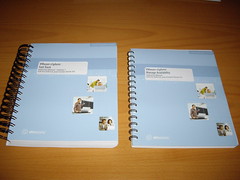
This evening I had my first Tweet Up ever; it’s not actually a real Tweet Up, because I’ve met fellow vExpert Stuart (vinternals.com) before at the VMworld 2009 in Cannes where we attended the most secret “Virtualization PowerShell community Night” ever. But first let me explain the term Tweet Up; it’s a real world meeting between two or more people who know each other through the online Twitter service. While Stu and his wife are traveling trough Germany, I’m delivering a VMware Fast-Track training course in Munich, our tweets crossed and we had a meeting at Stu’s hotel - Le Méridien. I didn’t go unprepared, because I wanted to know everything about the “vSphere 4.0 Quick Start Guide”, since Stu is one of the authors he finally agreed to do a little interview.
VMinformer is based in London. They primarily designing and building applications to compliment and integrate with virtual environments. Their main focus is VMware. VMinformer is a Technical Alliance Partner (TAP) with VMware and holds similar partner certifications with other vendors. They have recently developed a tool called VMinformer, which is a security tool for VMware environments. Providing best practice guidance, remediation, monitoring and reporting it aims to be a tool that enables your virtual infrastructure to be as secure as possible.
You can establish fault tolerance for virtual machines hosted by ESX servers that are part of a VMware HA cluster. When you enable VMware FT for a virtual machine, an identical copy of the virtual machine, called a secondary, is established on another host in the cluster. If the first virtual machine fails, the secondary virtual machine takes the original one's place, and a new secondary is created. This process helps provide uninterrupted virtual machine functionality, even in the event of failures. Before you can enable VMware FT, you must have VMware HA enabled and the CPUs of the servers hosting the virtual machines must support VMware FT.
After publishing an article about the CPU compatibility with VMware Fault Tolerance, my search for a white CPU began. The vLockstep technology used by FT requires the physical processor extensions added to the latest processors from Intel and AMD. In order to run FT, a host must have an FT-capable processor, and both hosts running an FT VM pair must be in the same processor family.
Richard Garsthagen’s “CPU-Host-Info” shows all the available options on both the Intel Q9400 and Q9550 marked true. I’ve used the Intel Q8200 in another white box and it didn’t work, so in order to use FT, you need FT and both the VT options. The next step is run through the Fault Tolerance Checklist.
You can enable VMware Fault Tolerance through the vSphere Client.
Connect vSphere Client to vCenter Server.
Prerequisites
The option to turn on Fault Tolerance is unavailable (grayed out) for a virtual machine to which any of the following conditions apply:
■ is not in an HA-enabled cluster
■ has one or more snapshots
■ is a template
■ is disconnected
■ resides on a host which is in maintenance or standby mode
■ is performing a record/replay operation
Procedure
1. Select the Hosts & Clusters view.
2. Right-click a virtual machine and select Turn Fault Tolerance On.
VMware Fault Tolerance requires eager zeroed thick disks. Virtual machines with thin provisioned or lazy zeroed disks must be powered off while enabling VMware Fault Tolerance in order for vCenter to complete this conversion.
The specified virtual machine is marked as a primary and a secondary is established on another host. Fault Tolerance is now enabled on 4 virtual machines :-)
Let me give you a little history of why I did this.
First off let me say that VMware is probably one of the most secure environments I have ever worked with, given that it is installed in a secure manner. It is NOT secure out of the box taking the defaults in my opinion. Of course I could post quite a few of my exploits I have uncovered in developing the course on a You Tube video and how to steal credentials from your virtual environment, even the complex password protected vpxuser that connects the Host to the VC by simply rebooting the Host and waiting for it to drop this in your lap. But this is not about providing Hackers ammuntion, it is about securing our DataCenters. Now in VMware' defense the right conditions would have to be met, and you would have to have access to the network segment that the VC and Host are on, but it is alarming none the less. A sample of an actual intercept is posted below.
xmlns="urn:vpxa3"><_this type="VpxapiVpxaService">vpxa</_this><userName>vpxuser</userName><password>*{color:#ff0000}BkGiD3-b6:F8]d28\lBk=b{2993H[rag*{color}</password><soapPort>443</soapPort><hostIp>172.16.4.40</hostIp></LoginVpxa>
Texiwill and I showed this to VMware at VMWorld since then we have been exchanging emails with the security department so they can recreate and address this. We show you those exploits in the class so that you can more easily protect yourself in your environment
Continue reading "The VMware Hacking Course will become available..." »
On September 10th, 2008, Mendel Rosenblum, VMware's chief scientist, resigned, but just before he left the company, there was an interesting patent application filed which is still not issued. It has to do with Virtual Appliance Management.
US Patent Application No. 2008/0215,796
Title : Virtual Appliance Management
Publication Date : Sep 04, 2008
Application Filed : Mar 06, 2008
Abstract Text
Various approaches for virtual appliance management are described. In one approach a virtual appliance repository stores one or more virtual appliances and is coupled to the host computer via a network. A storage device stores a transceiver program capable when executed on said host computer of requesting and receiving the virtual appliances, and generating for each received virtual appliance a respective local copy on the host computer of each received virtual appliance. The local copy is private to the host computer. The transceiver program further binds the virtual appliances to the host computer and obtains user data relevant to the virtual appliances. The transceiver program runs each of the virtual appliances from the respective private local copies on the host computer.
Sounds like Cloud Control......
VMware Partner Exchange is an annual partner conference dedicated to educating and enabling partners for success with VMware. We understand your need for a conference that allows you to make your voice heard and we will deliver! By attending, not only will you get the inside scoop on new partner programs, you will understand the training roadmap, and be the first to hear on VMware’s plans for the coming year.
Join VMware on February 8 - 11, 2010 at the Mandalay Bay Convention Center in Las Vegas for VMware Partner Exchange
The hottest virtualization partner conference designed just for VMware Partners. http://www.vmware.com/go/partnerexchange
VMware community member w1nter is working on some great study resources for the VMware Enterprise exam.
Hi, I am studying for the VCDX and the Enterprise Admin exam and was looking around at some of the community guides (which are great!) but i didnt really find anything that was what i was looking for. So i decided to write one up myself. It began as a mix/max/syntax doc, then i decided to build it up as something to give to my students as further reading. It is v0.1 probably has typos in it, but hopefully no glaringly WRONG content
Have uploaded as a .doc so you guys can edit as you see fit for your own purposes. If anyone wants to contribute to it, PM me as i would welcome it! Anyway - enjoy! David
http://communities.vmware.com/docs/DOC-10705
Ps. Networking should be out in a couple of days to btw.
A camtasia capture of the Self Paced Labs stats screen and VC task bars from SPL at VMWORLD 2009. A clock in the upper left corner shows the ten hours elapsed into aprox 1min. The total VM count shown doesn't include embed VMs, including those the total number of VMs deployed in the SPL environment was over 41000.
Login VSI 2.0 is the second iteration of Login VSI 1.0: the free and specifically designed benchmark for SBC and VDI environments. VSI 2.0 introduces completely new workloads, and a improved and more accurate index called VSImax. Overall, VSI 2.0 will be a much smoother experience, many best practices and lessons learned from project VRC are now included in this release. The free version will now be called “Login VSI 2.0 Express”, the advanced version is called “Login VSI 2.0 PRO”. The most important new 2.0 features are:
Workload(s) re-build from scratch
· New, more realistic, medium workload (now 10 instead of 18 minutes)
· Real-world end-user websites (with rich flash content)
· Windows 7 and Windows 2008 r2 support
· IE 8 support
· New Zip and PDF printer (BullZip)
· Highly improved robustness (even under extreme loads)
· Improved response timer mechanism and index: VSImax
VSI 2.0 PRO features
· Multilanguage Support (Express only support English OS and Office)
· Detailed logging
· Runtime calibration of timed events and response time measurement using an external SQL server clock (important for hypervisor comparisons)
· Office 2003 and Office 2010 support
· Customization Support (ad your own apps to the VSI workload)
Analyzer Changes
· New VSImax calculation: much more precise
· Automatic renaming of excel files to “testname.xltm”
· Remember settings from last session
AD Setup Changes
· Split system / user policy objects / added Computers OU
· Improved setup user objects (no password expiry etc)
Launcher
· New pre-launch naming of test: no more archiving of tests needed
vOptimizer WasteFinder: scans through VMware vCenter Servers (formerly Virtual Center) to locate over allocated virtual storage and misaligned Virtual Machines (VMs). The vOptimizer WasteFinder Space and Alignment Report provides totals of wasted storage and also a potential savings estimate if the space is reclaimed.
vControl Multi-Hypervisor Management: provides multi-VM control and task-based automation to reduce VM administration and improve consistency. Furthermore, vControl Multi-Hypervisor Management allows organizations to automate manual and repetitive tasks while enabling a cost-effective solution for high availability in the data center.
vConverter SC: enterprise-class software that significantly reduces the time, cost, and effort required to convert physical and virtual machines to VMware®, Microsoft®, or XenServer™.
Virtualization Ecoshell: is a freeware desktop application that enables IT administrators to unlock the full potential of their virtual infrastructure and reduce the daily operating costs of managing multi-platform environments.
Some well known Rock stars are featuring in this video. Great work Rodney ![]()
Jon Hall, Technical Certification Developer over at VMware has clarified the exam scoring on the new VCP4 exam. This new exam became generally available during the VMworld 2009 at San Francisco and can be scheduled at Pearson VUE. Some people already have taken the exam and are reporting they had to answer 85 "fair" questions in 90 minutes. There’s also some confusion about "extra" questions that doesn’t count to your score but are build in to improve future exams.
I have often been asked how the percentage for the VCP on VI3 exam is calculated, which led me to post a discussion thread on scaled scoring some time back. Scaled scoring is used with SATs and many other standardized tests. We used scaled scoring with the VCP on VI3, but many folks thought the resulting number (ex. 70) was actually a percentage, which it was not. With the VCP on vSphere 4 Exam, we are modifying the scale so that the resulting score does not appear in any way to be a percentage.
The scale for the VCP on vSphere 4 Exam is 100 - 500, with 500 being a perfect score. A 300 or better is required to pass the exam. When you are preparing for the exam, don’t forget to pay a visit at Scott Vesey’s VMwaretraining weblog. I’ve also written some articles that can help you with preparing.
Update : Duncan Epping via Twitter -> @esloof @vmguru_nl yes it is 300 out of 500 and 400 to become a VCI.
Update : John Hall via the VMware Community -> VMware may add as many as 10 unscored items to an exam (75 items scored, the additional 10 unscored). The VCP exam will always have 75 scored items.
Update : The VCI passing score has been revised based on the baselines VMware saw coming in. It’s not an easy exam! VCI passing score is 350.
previous page
(Page 2 of 3, totaling 36 entries)
next page