Friday, April 19. 2013
VCAP5-DCD been there done that – but only 3 seconds left

New Technical White Paper - Virtualized Hadoop Performance with VMware vSphere 5.1
However, there are several use-cases that make virtualization of this workload compelling:
- Enhanced availability with capabilities like VMware High Availability and Fault Tolerance. The performance implications of protecting the Hadoop master daemons with FT were examined in a previous paper.
- Easier deployment with vSphere tools or Serengeti, leading to easier and faster datacenter management.
- Sharing resources with other Hadoop clusters or completely different applications, for better datacenter utilization.
- Elasticity enables the ability to quickly grow a cluster as needs warrant, and to shrink it just as quickly in order to release resources to other applications.
- Multi-tenancy allows multiple virtual clusters to share a physical cluster while maintaining the highest levels of isolation between them.
- Greater security within each cluster as well as elasticity (the ability to quickly resize a cluster) require the separation of the computational (TaskTracker) and data (DataNode) parts of Hadoop into separate machines. However, data locality (and thus performance) requires them to be on the same physical host, leading to the use of virtual machines.

A detailed discussion of these points is beyond the scope of this paper, but can be found elsewhere. As great as the current and potential future benefits of virtualization are for Hadoop, they are unlikely to be realized if the performance costs are too high. The focus of this paper is to quantify these costs and to try to achieve an understanding of the implications of alternative virtual configurations.
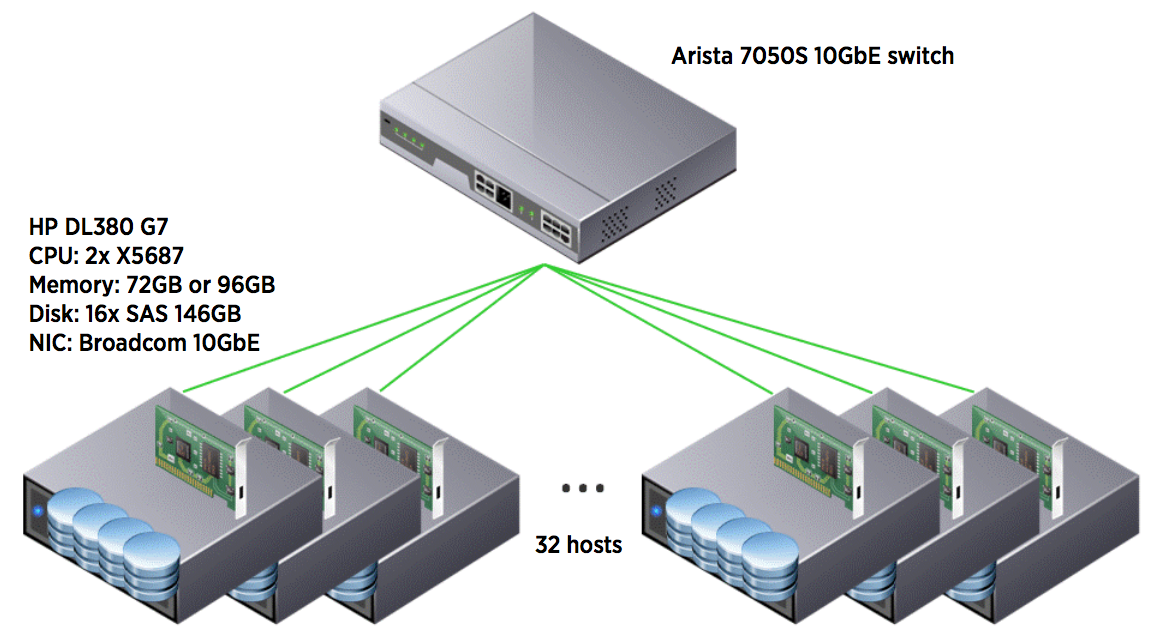
This is done through the use of a set of well-understood and high-throughput benchmarks (the TeraSort suite). While these applications are not generally representative of production clusters running many jobs of different sizes and priorities, they are at the high end of infrastructure resource usage (CPU, memory, network and storage bandwidth) of typical production jobs. As such, they are good tools for stressing the virtualization layer.
The ultimate goal is for a Hadoop administrator to be able to create a cluster specification that enables all the above advantages while achieving the best performance possible.
Wednesday, April 17. 2013
Beste Practices Guide - VMware Site Recovery Manager and Nimble Storage

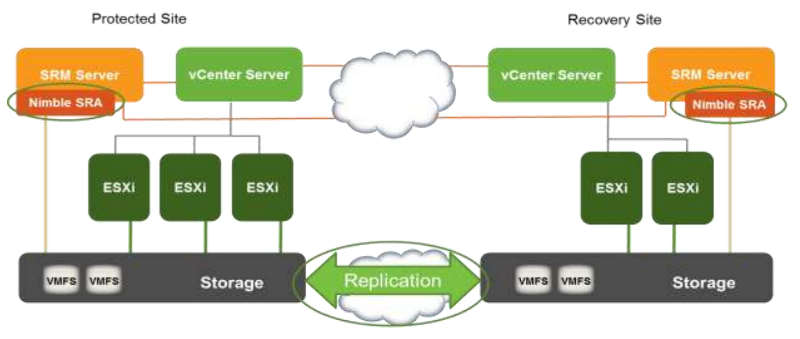
The SRA helps SRM discover Virtual Machine File System (VMFS) datastores that are configured with cross-site replication. Arrays are pre-configured with replicated devices or consistency groups, which are then presented to the vSphere clusters. In the SRM server the SRA must be installed to allow visibility to these replicated devices. After the SRA is installed and configured, replicated devices are represented within SRM, available for use in workflows.
Tuesday, April 16. 2013
Upcoming Training Course - VMware vCloud Networking and Security for vSphere Professionals
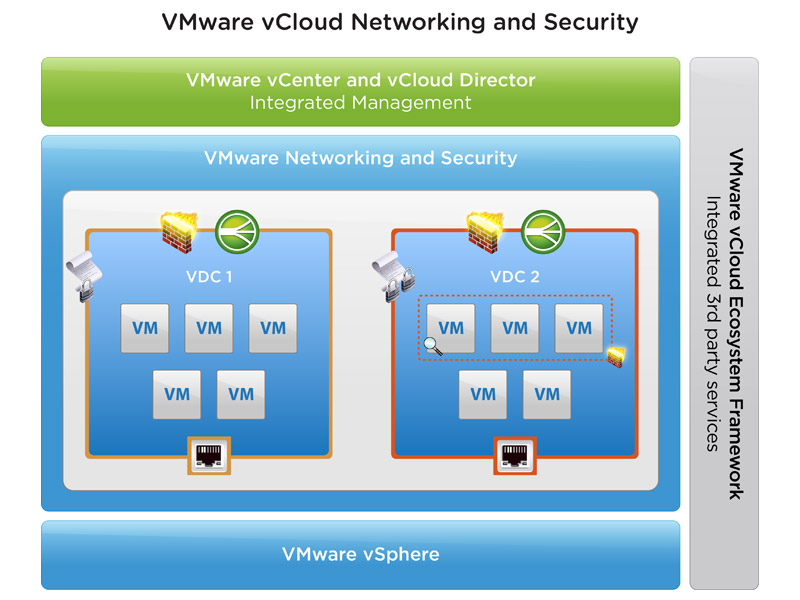
VMware Education is about to release a new training course called "VMware vCloud Networking and Security for vSphere Professionals". This intensive training course focuses on installing, configuring, and managing VMware vCloud Networking and Security for the VMware vSphere professional. vCloud Networking and Security is a suite of security virtual appliances built for VMware vCenter Server and VMware ESXi integration.
vCloud Networking and Security is a critical security component for protecting virtualized datacenters from attacks and helping you achieve your compliance-mandated goals. The course is based on ESXi 5.1 and vCenter Server 5.1.
- Identify common use cases for vCloud Networking and Security components
- Install VMware vCloud Networking and Security Manager and configure it to work with vCenter Server
- Create and manage VXLAN virtual wires
- Identify environments that benefit from deploying VMware vCloud Networking and Security Edge and install and configure it
- Identify environments that benefit from VMware® vCloud
- Networking and Security App™ and install and configure it in a cluster
- Describe the enterprise requirements for compliance analysis and how VMware vCloud Networking and Security Data Security can provide a solution
The duration of this training course is three days, led by an instructor (50% lecture, 50% hands-on lab). Get a copy of the course datasheet here: VMware vCloud Networking and Security for vSphere Professionals [V5.1].
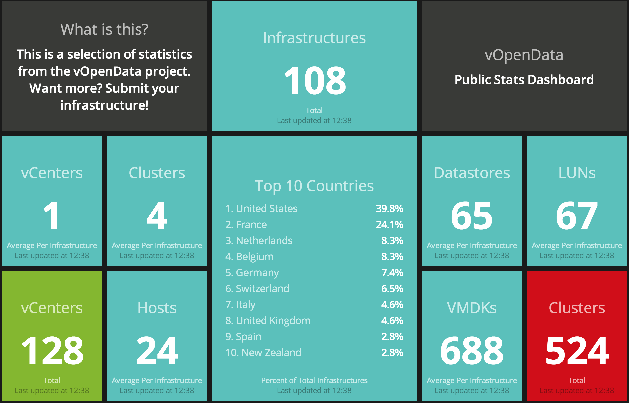
Trending statistics and data for virtualized environments at vOpenData Dashboard
vOpenData is an open community project that grew from the question "What is the average VMDK size for deployed virtual machines?" Ben Thomas and William Lam wanted to create an open community database that is purely driven by users submitting their virtual infrastructure configurations. Leveraging the powerful virtualization community and applying simple analytics, the vOpenData Dashboard is able to provide various trending statistics and data for virtualized environments. This is 100% community driven and the results will be available for everyone to view and hopefully you will contribute to the overall dataset!