Quicksearch
Your search for esx server www returned 961 results:
Monday, June 22. 2015
vCenter Converter supports many source physical machines, including Windows XP, Windows 2003, Windows Server and Linux. It also supports third-party disk images from Microsoft Hyper-V, Virtual Server and Virtual PC; Parallels Desktop; Symantec System Recovery; Norton Ghost; Acronis and StorageCraft.
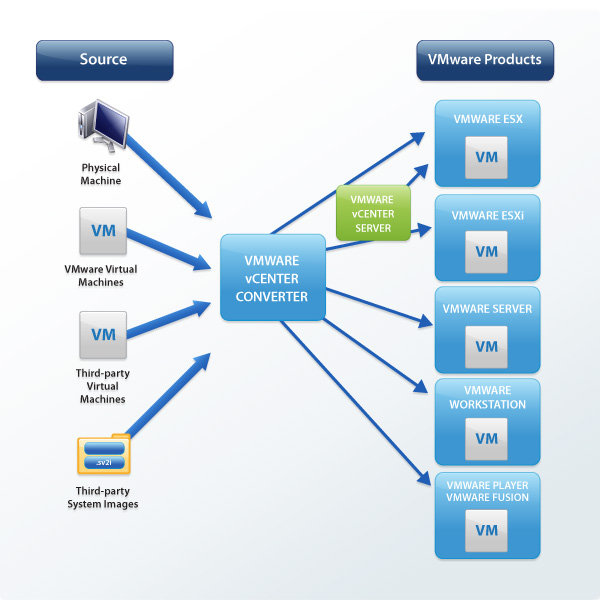
- Multiple simultaneous conversions enable large-scale virtualization implementations.
- Quiescing and snapshotting of the guest operating system on the source machine before migrating the data ensures conversion reliability.
- Hot cloning makes conversions non-disruptive, with no source server downtime or reboot.
- Sector-based copying enhances cloning and conversion speed.
- Multiple simultaneous conversions enable large-scale virtualization implementations.
- Centralized management console allows users to queue up and monitor multiple simultaneous remote, as well as local, conversions.
- Easy-to-use wizards minimize the number of steps to conversion.
- Support for both local and remote cloning enables conversions in remote locations such as branch offices.
Download Now
Tuesday, June 16. 2015
VMware Virtual SAN 6.0 provides customers and partners with a proven solution, capable of hosting virtualized Microsoft applications at a consistent performance level along with constant availability. This solution has been designed, configured, and tested to be a Proof of Concept of the capabilities and supported features with VMware Virtual SAN and business-critical applications.
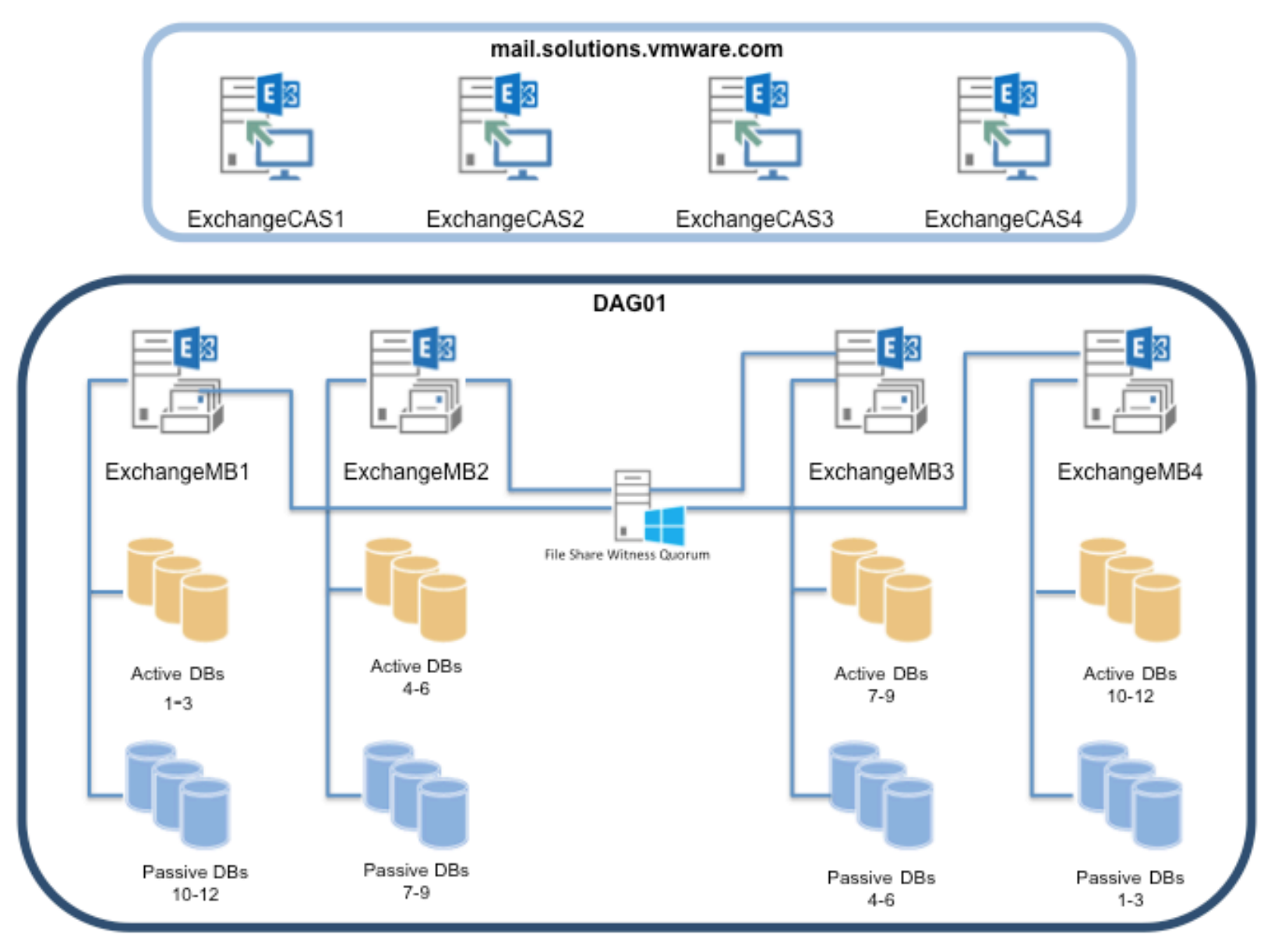
This technical white paper describes how concurrent workloads of Microsoft Exchange and Microsoft SQL deliver Tier 1 performance on VMware Virtual SAN. We also cover how to configure Exchange 2013 with Database Availability Groups (DAG), SQL Server 2014 with AlwaysOn Availability Groups (AAG) and Microsoft SharePoint 2013 on an eight-node VMware Virtual SAN cluster.
Wednesday, June 3. 2015
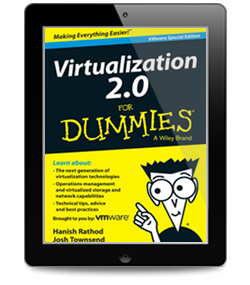
Virtualizing your servers was the first step to achieving cost savings, high availability, and greater IT efficiency. But as your business is evolving and growing, your virtualized infrastructure needs to do the same – leading to the next-generation data center running on Virtualization 2.0. In Virtualization 2.0 For Dummies, we will explore:
- How Virtualization 2.0 is driving the next-generation data center, through capacity management and performance monitoring that deliver improved visibility, optimized planning and efficiency and more predictive control.
- A deep dive into virtualization beyond the server, including operations management, virtualized backup, storage, and networking. We'll show you how they all work together to power today's modern IT environment.
- How to prepare your IT environment for the next steps in your virtualization journey, with advice on storage options, security, and operations management, so your migration succeeds without a hitch.
- Technical tips, best practices, and links to in-depth resources to help you save time setting up, managing, and troubleshooting your advanced virtualized environment.
Free e-book - Virtualization 2.0 For Dummies
Tuesday, June 2. 2015
The VMware NSX network virtualization platform provides the critical third pillar of VMware’s Software Defined Data Center (SDDC) architecture. NSX network virtualization delivers for networking what VMware has already delivered for compute and storage.
In much the same way that server virtualization allows operators to programmatically create, snapshot, delete and restore software-based virtual machines (VMs) on demand, NSX enables virtual networks to be created, saved and deleted and restored on demand without requiring any reconfiguration of the physical network.
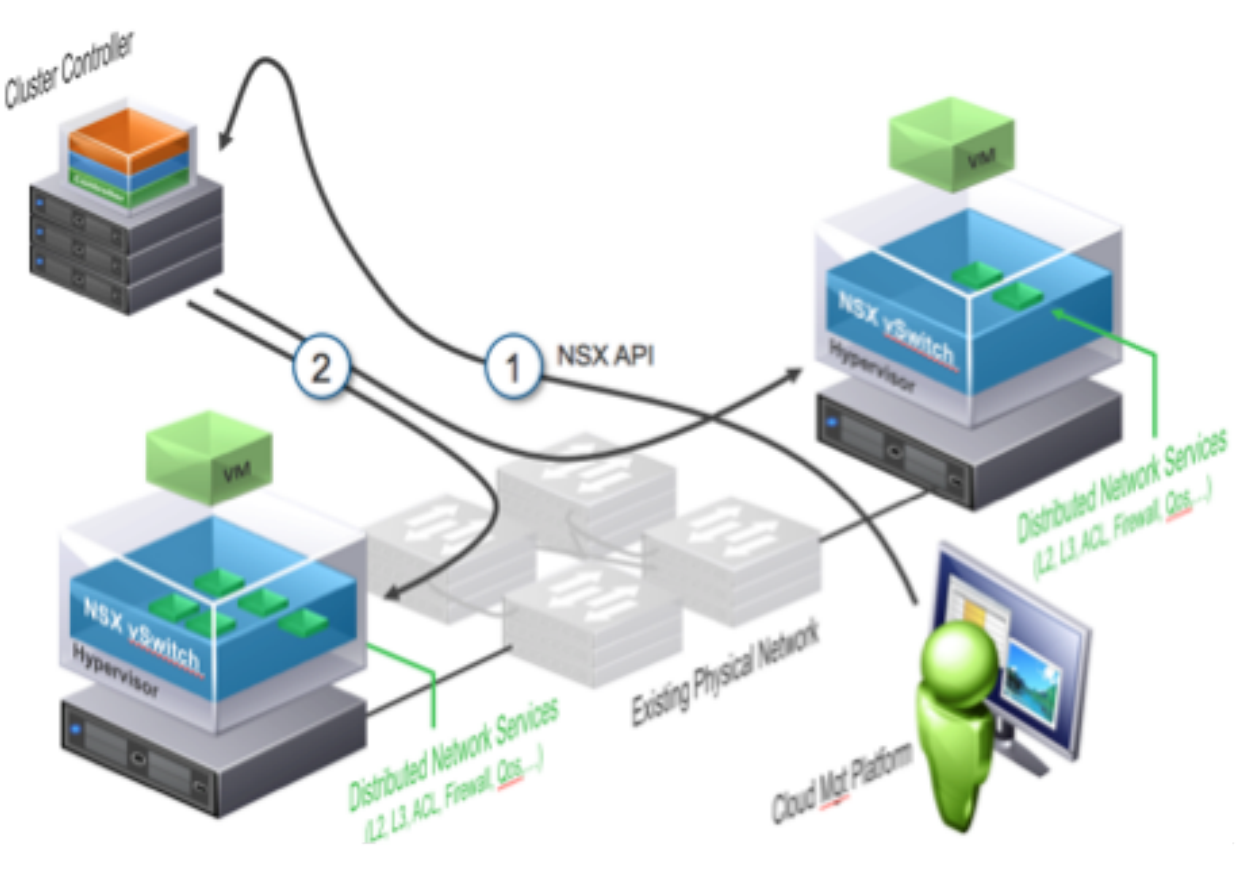
The result fundamentally transforms the data center network operational model, reduces network provisioning time from days or weeks to minutes and dramatically simplifies network operations.
NSX is a non-disruptive solution that is deployed on any IP network, including existing data center network designs or next generation fabric architectures from any networking vendor. With NSX, you already have the physical network infrastructure you need to deliver a software defined data center.
New Technical White Paper - The VMware NSX Network Virtualization Platform
This book is intended for server administrators and storage administrators who would like to successfully build and scale a VSAN-backed vSphere infrastructure. A basic understanding of vSphere concepts and storage fundamentals will be helpful.
Virtual SAN is without a doubt the latest fad in the virtualization arena. The best part about VSAN solutions is the fact that a near-Flash performance is achieved with only a marginal percentage of Flash storage. And all this without noticeably compromising vSphere's exquisite feature set and its interoperability with other products from VMware.
This book covers the fundamental aspects of software-defined storage, including its evolution and its role in a software-defined data center. You will gain a complete understanding of VMware Virtual SAN architecture, its components, and how it is put together.
The sizing and profiling of virtual machines are also covered in detail. The book explores your options in choosing the type of Virtual SAN and deploys a simple setup that will demonstrate the workflow of a VSAN deployment.




