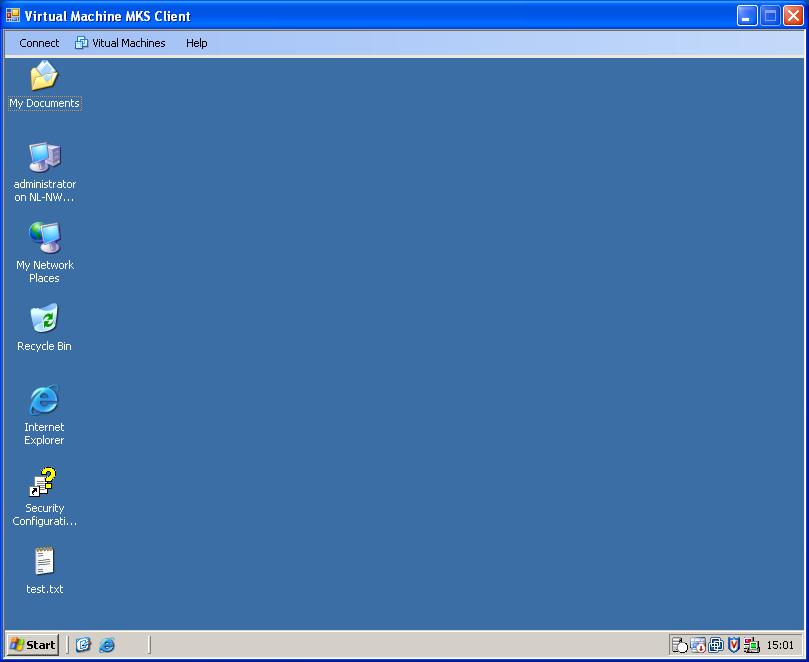
The games have begun. Bouke and I are in sort of a contest who will build the most fancy Virtual Machine MKS Client. Bouke calls his creation the KVM-Tool, my application goes under the name VMware MKS Client. So it’s the KVM-Tool versus the Virtual Machine MKS Client from now on. No more code sharing and no more walks during lunch breaks
. I don’t know when Bouke is going to deliver his first beta version because we are only communicating through our weblog posts from now on
. What I do know is that my beta version is ready. You can download it here. Have fun with it.
Tuesday, 17 July 2007
Virtual Machine MKS Client v1.1
Trackbacks
Trackback specific URI for this entry
No Trackbacks
Comments
Display comments as
(Linear | Threaded)
Nice app! Can't wait for it to be polished a bit more. Currently it throws an exception if you tell it to connect to a VM in a non-powered on state.
_Wish List_
*-* Detect and allow control over the state of the VM (power off, suspend, power on, reset).
*-* Detect if a VM has any CD/DVD devices configured to connect to the Client Device and allow the Client Device to be connected to local drive or ISO.
That would make your program extremely useful for scenarios where you need to allow someone admin access to a VM(s) without giving them access to VC. Excellent work so far!
BTW, I found out about your software via the RTFM Education site.
#1
Dee
on
2007-07-18 17:38
Nice little app. would be good if it was made portable. so you didn't have to install it on machines. like stick it on a network drive and just run it from a machine you where siting at
#2
Peter
on
2007-07-19 04:01
Hmm...doesn't seem to have worked in Vista64? Any info on OS requirements?
#3
Cmiller
(Homepage)
on
2007-07-20 22:36
The author does not allow comments to this entry


