• Skip to site navigation
  • Skip to blog entries
  • Skip to archive page
  • Skip to right sidebar

vSphere 5

Eric Sloof - NTPRO.NL

  • NTPRO.NL
  • Online Training
  • VMworld
  • Videos
  • Tools
  • iTunes
  • About

Wednesday, 23 November 2011

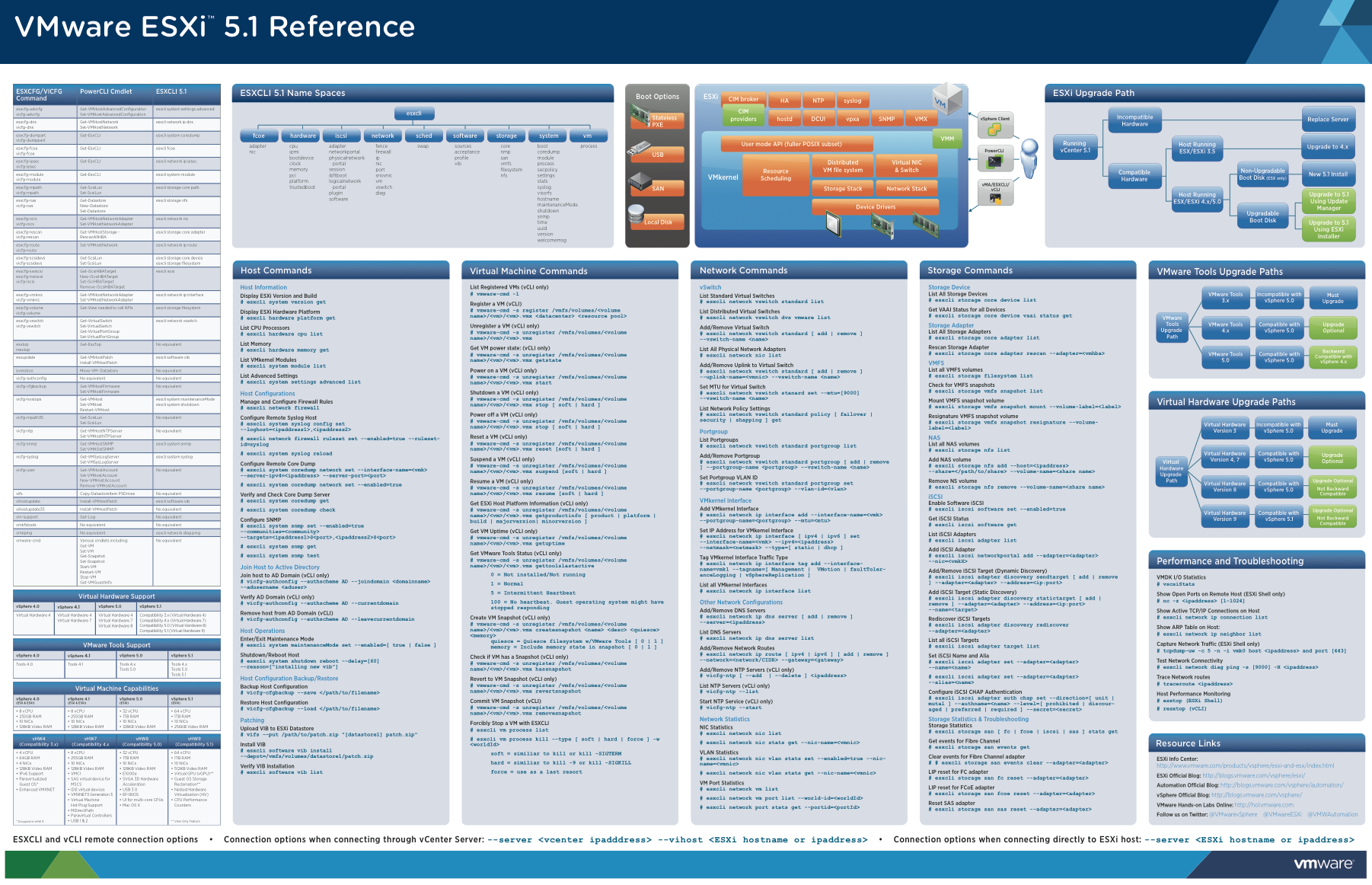
Video - Using the ESXI 5.0 vCLI Command Set

vSphere supports several command‐line interfaces for managing your virtual infrastructure including the vSphere Command‐Line Interface (vCLI), a set of ESXi Shell commands, and PowerCLI. You can choose the CLI set best suited for your needs, and write scripts to automate your CLI tasks.

The vCLI command set includes vicfg- commands and ESXCLI commands. The ESXCLI commands included in the vCLI package are equivalent to the ESXCLI commands available on the ESXi Shell. The vicfg command set is similar to the deprecated esxcfg- command set in the ESXi Shell.

You can manage many aspects of an ESXi host with the ESXCLI command set. You can run ESXCLI commands as vCLI commands or run them in the ESXi Shell in troubleshooting situations. You can also run ESXCLI commands from the PowerCLI shell by using the Get-EsxCli cmdlet. See the vSphere PowerCLI Administration Guide and the vSphere PowerCLI Reference. The set of ESXCLI commands available on a host depends on the host configuration. The vSphere Command‐Line Interface Reference lists help information for all ESXCLI commands. Run esxcli --server <MyESXi> --help before you run a command on a host to verify that the command is defined on the host you are targeting. You can use this link to get your copy of the VMware ESXi 5.0 Reference Poster Continue reading "Video - Using the ESXI 5.0 vCLI Command Set " »

Posted by
Eric Sloof
in vSphere 5 at 10:58 | No comments | No Trackbacks
Bookmark and Share

Thursday, 10 November 2011

Deploying vSphere Replication

vSphere Replication is a replication engine that is part of SRM 5.0 and requires ESXi 5.0 and later, giving an alternative means of protecting and replicating virtual machines between sites. It is entirely managed within the SRM interface after initial deployment and configuration, and integrates with storage array–based replication to provide full coverage of the virtual environment.

The assumption is that there are multiple databases for vSphere Replication already configured for use, one at each site. In this evaluation guide, we will be using Microsoft SQL Server as a database, and using native SQL authentication for access. Workflow covered will be as follows:

1. Deploy vSphere Replication Management Servers (VRMS).
2. Configure VRMS.
3. Pair VRMS.
4. Deploy vSphere Replication Server (VRS).
5. Register VRS.
6. Configure virtual machines for protection with vSphere Replication.
7. Create a protection group using vSphere Replication–protected virtual machines.

Fred van Donk has written an extensive article on Deploying vSphere Replication and setting up multiple Microsoft SQL databases.

Posted by
Eric Sloof
in vSphere 5 at 16:13 | No comments | No Trackbacks
Bookmark and Share

Monday, 7 November 2011

Video - vShield 5 Install and Deploy

VMware vShield is a suite of security virtual appliances built for VMware vCenter Server and VMware ESX integration. vShield is a critical security component for protecting virtualized datacenters from attacks and misuse helping you achieve your compliance-mandated goals. vShield App is an interior, vNIC-level firewall that allows you to create access control policies regardless of network topology. A vShield App monitors all traffic in and out of an ESX host, including between virtual machines in the same port group. vShield App includes traffic analysis and container-based policy creation.

In this video I'll show you that vShield App installs as a hypervisor module and firewall service virtual appliance. vShield App integrates with ESX hosts through VMsafe APIs and works with VMware vSphere platform features such as DRS, vMotion, DPM, and maintenance mode. vShield App provides firewalling between virtual machines by placing a firewall filter on every virtual network adapter. The firewall filter operates transparently and does not require network changes or modification of IP addresses to create security zones. You can write access rules by using vCenter containers, like datacenters, cluster, resource pools and vApps, or network objects, like Port Groups and VLANs, to reduce the number of firewall rules and make the rules easier to track.

You should install vShield App instances on all ESX hosts within a cluster so that VMware vMotion operations work and virtual machines remain protected as they migrate between ESX hosts. By default, a vShield App virtual appliance cannot be moved by using vMotion. The Flow Monitoring feature displays allowed and blocked network flows at the application protocol level. You can use this information to audit network traffic and troubleshoot operational.

Posted by
Eric Sloof
in vSphere 5 at 15:54 | No comments | No Trackbacks
Bookmark and Share

Sunday, 6 November 2011

Video - Troubleshooting vCenter 5 start-up problems

A few weeks ago I’ve delivered a VMware Site Recovery Manager training course and one of the attendees was Arnim van Lieshout. Besides being a co-author of the VMware vSphere PowerCLI Reference: Automating vSphere Administration guide, Arnim also works as a VMware PSO consultant. While we were trying to set-up SRM Host Based Replication, Arnim showed me a real cool trick to do some fast troubleshooting regarding the VPXD daemon, also known as the vCenter Service.

This video guides you through the process of troubleshooting a corrupted vCenter Server database with vpxd.exe -s and helps you to fix VPX daemon start-up problems. The video also helps you eliminate common causes for your problem by verifying the configuration of your database, validating network connectivity, and verifying the configuration of the vCenter Server service with vpxd.exe -b.

Posted by
Eric Sloof
in vSphere 5 at 22:11 | No comments | No Trackbacks
Bookmark and Share

Thursday, 27 October 2011

HP P4000 LeftHand SAN Solutions with VMware vSphere Best Practices

This white paper provides detailed information on how to integrate VMware vSphere 5.0 with HP P4000 LeftHand SAN Solutions. VMware vSphere is an industry leading virtualization platform and software cloud infrastructure enabling critical business applications to run with assurance and agility by virtualizing server resources. Complementing this technology, the HP P4000 LeftHand SANs address the storage demands and cost pressures associated with server virtualization, data growth, and business continuity.

P4000 SANs scale capacity and performance linearly without incurring downtime, enabling it to meet the requirements of small pay-as-you-grow customers to the mission-critical applications of an enterprise. This document presents configuration guidelines, best practices and answers to frequently asked questions that will help you accelerate a successful deployment of VMware vSphere 5.0 on HP P4000 SAN Solutions.

HP P4000 LeftHand SAN Solutions with VMware vSphere Best Practices

Juan's HP resources for VMware - http://jreypo.wordpress.com/hp-resources-for-vmware/

Posted by
Eric Sloof
in vSphere 5 at 08:47 | No comments | No Trackbacks
Bookmark and Share

3PAR Utility Storage with VMware vSphere

This paper discusses the benefits of deploying VMware vSphere with HP 3PAR Utility Storage including: greater virtual machine (VM) density, simplifying administration, and realizing significant cost savings in virtualized server environments. The paper also includes best practices for an integrated VMware vSphere and HP 3PAR Utility Storage solution.

- Performance and reliability features
- Queue depth throttling
- Metadata locking with SCSI reservations
- vSphere Storage APIs – Array Integration (VAAI)
- Storage I/O Controls
- vSphere Storage APIs – Storage Awareness (VASA)
- VMFS versus RDM 

3PAR Utility Storage with VMware vSphere

Posted by
Eric Sloof
in vSphere 5 at 08:45 | No comments | No Trackbacks
Bookmark and Share

Wednesday, 26 October 2011

Video - vCenter Infrastructure Navigator

vCenter Infrastructure Navigator automatically discovers application services, visualizes relationships and maps dependencies of applications on virtualized compute, storage and network resources. It's a component of the vCenter Operations Management Suite. vCenter Infrastructure Navigator enables application-aware management of infrastructure and operations to better understand the impact of change, provide more complete disaster recovery protection and minimize downtime.

  • Automatically discover and keep up-to-date the names and version numbers of application components and services
  • Visualize application relationships, communication paths and backend connections at the infrastructure, guest OS and application level
  • Map dependencies of application components on the underlying virtual infrastructure to understand the impact of change and build disaster recovery plans with confidence.

 The voice over of this video is done by Ben Scheerer, follow him on Titter via @benscheerer

Posted by
Eric Sloof
in vSphere 5 at 12:29 | No comments | No Trackbacks
Bookmark and Share

Friday, 14 October 2011

Best Practices for Performance Tuning of Latency-Sensitive Workloads in vSphere Virtual Machines

This white paper summarizes findings and recommends best practices to tune the different layers of an application’s environment for similar latency-sensitive workloads. By latency-sensitive, VMware means workloads that are looking at optimizing for a few microseconds to a few tens of microseconds end-to-end latencies; they don’t mean workloads in the hundreds of microseconds to tens of milliseconds end-to-end-latencies. In fact, many of the recommendations in this paper that can help with the microsecond level latency can actually end up hurting the performance of applications that are tolerant of higher latency.

- BIOS Settings
- NUMA
- Choice of Guest OS
- Physical NIC Settings
- Virtual NIC Settings
- VM Settings
- Polling Versus Interrupts
- Guest OS Tips and Tricks

VMware also has investigated the performance of two latency micro-benchmarks, one for Infiniband devices and another for networking devices, in VM DirectPath I/O (pass-through) mode, which bypasses most of the virtualization stack except the path for delivering interrupts from the underlying physical devices to the guest OS. Applying the recommendations reduced latency and therefore increased the score of these latency micro-benchmarks in a virtualized environment, bringing it closer to bare metal performance.

Best Practices for Performance Tuning of Latency-Sensitive Workloads in vSphere VMs
Posted by
Eric Sloof
in vSphere 5 at 20:56 | No comments | No Trackbacks
Bookmark and Share

Thursday, 13 October 2011

Video - What's new in VMware Data Recovery 2.0

With VMware Data Recovery 2.0, VMware has extended the ability to quickly and simply protect and restore virtual machines. Fully integrated with VMware vCenter Server, VMware Data Recovery gives central management of backup and restore operations, and the inherent deduplication of data saves significant disk space and provides flexible options for storage. VMware Data Recovery 2.0 has introduced a number of improvements including performance enhancements, speed, and reliability improvements, as well as capabilities to enhance management with the ability to email reports and schedule maintenance windows.

Several fixes have been included that rectify issues found in VMware Data Recovery 1.2.1. Issues that have been resolved include:

• CIFS target handling and resilience
• Incremental RDM backup
• Backups failing with “not enough disk space” errors
• Backups failing with “disk full” error despite free space being available

Posted by
Eric Sloof
in vSphere 5 at 14:26 | No comments | No Trackbacks
Bookmark and Share

Wednesday, 12 October 2011

Two new VMwareKB videos about the vSphere Storage Appliance

What happens during a front-end network outage? This video discusses and demonstrates what happens in a VMware vSphere Storage Appliance (VSA) cluster during a front-end network outage.

What happens during a back-end network outage? This video discusses and demonstrates what happens in a VMware vSphere Storage Appliance (VSA) cluster during a back-end network outage. 

Posted by
Eric Sloof
in vSphere 5 at 22:45 | No comments | No Trackbacks
Bookmark and Share

Thursday, 6 October 2011

Technical Paper - Performance of VSA in VMware Sphere 5

VSA allows features like vMotion, DRS, Storage vMotion, and HA to be possible using only local storage. This enables advanced vSphere capabilities now to be possible for environments as small as just two servers. vSphere provides the VSA environment with tools to monitor and manage performance and understanding the key factors of VSA performance helps drive a successful deployment.

The performance of VSA is directly related to the hardware configuration of the systems used for its cluster. Big differences in capacity, performance, and price exist depending on the exact configuration used. The data replication performed by VSA across its cluster nodes provides high availability, but also has an effect on performance. Testing was done with a mixed workload to examine application performance and infrastructure operations. A set of tests with an I/O generation tool were also run to examine what happens across the hosts in a VSA cluster and to illustrate how to monitor and manage performance.

Performance of VSA in VMware Sphere 5

Posted by
Eric Sloof
in vSphere 5 at 15:35 | 1 Comment | No Trackbacks
Bookmark and Share

Wednesday, 5 October 2011

Technical Paper - VMware vSphere 5.0 Upgrade Best Practices

VMware vSphere 5.0 is a significant milestone for VMware, introducing many new features and capabilities. For many, the road to vSphere 5.0 will begin by upgrading existing vSphere environments. Fortunately, included with the many new features and capabilities of vSphere 5.0 is a simple upgrade path that makes it easy to migrate from VMware vCenter 4.x to vCenter 5.0 and from VMware ESXi 4.x to ESXi 5.0. And for the first time, users have the ability to do an in-place migration from VMware ESX® 4.x to ESXi 5.0. This paper provides an overview of the ESXi 5.0 upgrade process, along with recommendations to help ensure a smooth and seamless transition.

VMware vSphere 5.0 Upgrade Best Practices

Posted by
Eric Sloof
in vSphere 5 at 12:49 | No comments | No Trackbacks
Bookmark and Share

Technical Paper - VMware ESXi 5.0 Operations Guide

This paper describes the architecture of ESXi and then explains how various management tasks are performed in it. This information can be used to help plan a migration to the ESXi architecture from the legacy ESX framework and to improve or enhance day-to-day operations.

VMware ESXi 5.0 Operations Guide

Posted by
Eric Sloof
in vSphere 5 at 12:46 | No comments | No Trackbacks
Bookmark and Share

Monday, 3 October 2011

Disaster Recovery with Dell EqualLogic and VMware SRM 5.0

VMware's Site Recovery Manager 5 leverages the all inclusive auto replication of the Dell EqualLogic PS Series SAN to create an automated disaster recovery tool. Learn how SRM enables the administrator to develop an entire new DR strategy based on virtualized infrastructure. This first part covers SRM and how to configure replication on the PS Series SAN.

Posted by
Eric Sloof
in vSphere 5 at 16:17 | No comments | No Trackbacks
Bookmark and Share

Friday, 30 September 2011

VMware ESXCLI 5.0 Reference Poster

vSphere supports several command‐line interfaces for managing your virtual infrastructure including the vSphere Command‐Line Interface (vCLI), a set of ESXi Shell commands, and PowerCLI. You can choose the CLI set best suited for your needs, and write scripts to automate your CLI tasks.

The vCLI command set includes vicfg- commands and ESXCLI commands. The ESXCLI commands included in the vCLI package are equivalent to the ESXCLI commands available on the ESXi Shell. The vicfgcommand set is similar to the deprecated esxcfg- command set in the ESXi Shell.

You can manage many aspects of an ESXi host with the ESXCLI command set. You can run ESXCLI commands as vCLI commands or run them in the ESXi Shell in troubleshooting situations. You can also run ESXCLI commands from the PowerCLI shell by using the Get-EsxCli cmdlet. See the vSphere PowerCLI Administration Guide and the vSphere PowerCLI Reference. The set of ESXCLI commands available on a host depends on the host configuration. The vSphere Command‐Line Interface Reference lists help information for all ESXCLI commands. Run esxcli --server <MyESXi> --help before you run a command on a host to verify that the command is defined on the host you are targeting.

You can use this link to get your copy of the VMware ESXi 5.0 Reference Poster.

Posted by
Eric Sloof
in vSphere 5 at 11:51 | No comments | No Trackbacks
Bookmark and Share

Tuesday, 27 September 2011

Video - Metro vMotion in vSphere 5.0

vSphere 5 introduces a new latency-aware Metro vMotion feature that not only provides better performance over long latency networks but also increases the round-trip latency limit for vMotion networks from 5 milliseconds to 10 milliseconds. Previously, vMotion was supported only on networks with round-trip latencies of up to 5 milliseconds. In vSphere 4.1, vMotion is supported only when the latency between the source and destination ESXi/ESX hosts is less than 5 ms RTT (round-trip time). For higher latencies, not all workloads are guaranteed to converge. With Metro vMotion in vSphere 5.0, vMotion can be used to move a running virtual machine when the source and destination ESX hosts have a latency of more than 5ms RTT. The maximum supported round trip time latency between the two hosts is now 10ms. Metro vMotion is only available with vSphere Enterprise Plus license.

Related Video – Carter Shanklin’s WANatronic 10001

Posted by
Eric Sloof
in vSphere 5 at 14:11 | No comments | No Trackbacks
Bookmark and Share
previous pageprevious page (Page 2 of 4, totaling 59 entries) next pagenext page


Twitter RSS FeedLinkedIn

www.hetesambal.nl

New Veeam Webinar: Discover game changing replication for vSphere VMs! Register now >>


Recent Entries

vCenter Infrastructure Navigator 1.1 - What's New
Tuesday, May 1 2012
Technical Paper - Multipathing Configuration for Software iSCSI Using Port Binding
Thursday, April 26 2012
Technical Paper - Storage Protocol Comparison
Thursday, April 26 2012
RVTools version 3.3 is now available for download
Monday, April 23 2012
Geoff White has released the esxplot 1.5 ALPHA code
Monday, April 23 2012
Load balancing vCloud Director multi-cell with the Kemp Loadmaster
Friday, April 20 2012
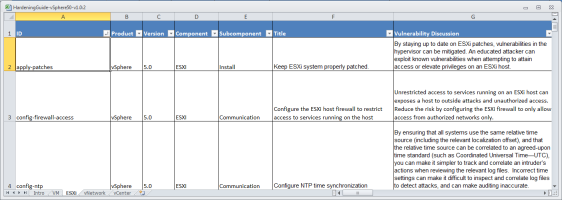
VMware has released the public draft of the vSphere 5.0 Hardening Guide
Thursday, April 19 2012
Now available in Rough Cuts - Managing and Optimizing vSphere Deployments
Tuesday, April 17 2012
New Training Course - VMware vCloud: Design Best Practices
Tuesday, April 17 2012
Technical Paper - Integrating VMware View and VMware ThinApp with Citrix XenApp
Monday, April 16 2012

Archive

  • April 2012 (1)
  • March 2012 (2)
  • February 2012 (4)
  • January 2012 (7)
  • December 2011 (2)
  • November 2011 (4)
  • October 2011 (10)
  • September 2011 (11)
  • August 2011 (5)
  • July 2011 (13)
  • Recent...
  • Older...
Based on the s9y Bulletproof template framework
Powered by s9y – Template by Bulletproof development team.
  • NTPRO.NL
  • Online Training
  • VMworld
  • Videos
  • Tools
  • iTunes
  • About