 Trilead VM Explorer is a management tool that eases management, backup and disaster recovery tasks in your VMware ESX Server environment. You get maximum flexibility: backups can be stored to ESX, Windows, Linux and FreeBSD based storage platforms or directly to a SAN. Their newest edition even has support for the ESX 3i & ESX 4i server.
Saturday, June 6. 2009
The newest edition of Trilead VM Explorer even has support for ESX 4i
Trilead VM Explorer is a management tool that eases management, backup and disaster recovery tasks in your VMware ESX Server environment. You get maximum flexibility: backups can be stored to ESX, Windows, Linux and FreeBSD based storage platforms or directly to a SAN. Their newest edition even has support for the ESX 3i & ESX 4i server.
Features
- Support for ESX 3i & ESX 4i
VMX includes support for the next generation of ESX servers. - Multi-Server Management
The graphical user interface of VM Explorer allows to connect to multiple ESX, Linux and FreeBSD servers at the same time in the same interface. - Server to Server fast copy
Allows you to copy files directly (drag&drop) between ESX, Linux and FreeBSD servers at full speed: throughput is only limited by the available network/storage system bandwidth. - ESX to ESX/Windows/Linux/FreeBSD/SAN Backup &
Restore
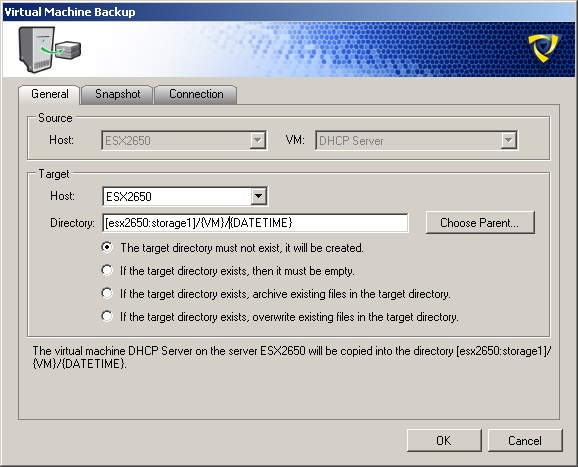
Our unique ESX to any backup feature allows to backup virtual machines to other ESX Servers, Linux or FreeBSD servers. Of course, virtual machines can also be stored to a SAN (ISCSI or NFS) directly attached to an ESX. Furthermore, backups can also be saved on the Windows machine where the VM Explorer is running. - File Browser
Browse instantly your ESX/Linux/FreeBSD servers' file system and copy files from one to the other just by drag & drop. Supports also up- and download to the management station. - Integrated SSH Client
The integrated SSH Terminal Client allows you to configure all your Unix/Linux based Servers trough SSH, all within one software. - Job Scheduler
The integrated job scheduler allows you to perform unattened, periodic backups of your virtual infrastructure. - Integrated ESX Snapshot Manager
Create and remove snapshots directly from within VMX. - Dynamic Compression
To make use of slow network links (e.g., for wide-area replication) or to save space on the target system, backups can be dynamically compressed.


