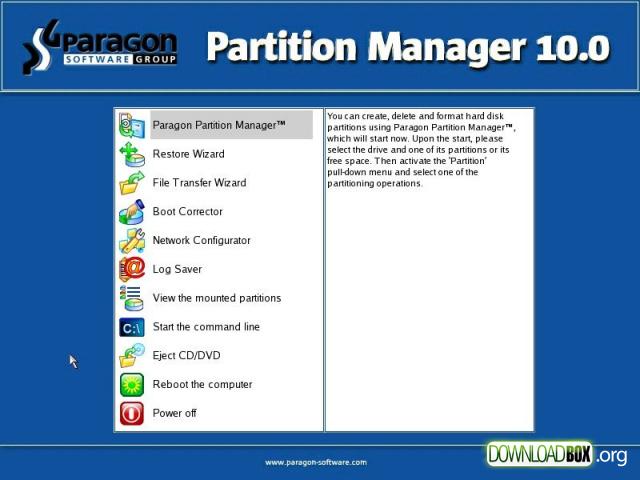
 Partition Manager 10 for Virtual Machines is a special version of Paragon's Linux/DOS bootable environment that contains fully functional Partition Manager 10 Professional. It’s optimized to work with virtual disks of any virtualization software vendor – backup/restore virtualized systems, re-partition and clone virtual disks, fix boot problems, optimize performance of NTFS and FAT file systems, etc. If you do care about effective data organization and speed of your virtual disks – this very tool is exactly what you need.
Monday, January 25. 2010
Partition Manager 10 for Virtual Machines
Partition Manager 10 for Virtual Machines is a special version of Paragon's Linux/DOS bootable environment that contains fully functional Partition Manager 10 Professional. It’s optimized to work with virtual disks of any virtualization software vendor – backup/restore virtualized systems, re-partition and clone virtual disks, fix boot problems, optimize performance of NTFS and FAT file systems, etc. If you do care about effective data organization and speed of your virtual disks – this very tool is exactly what you need.
| Support for GPT | Enjoy support of GPT (GUID Partition Table) disks, used now in Windows 7/Vista, Server 2008, Mac OS X and Linux. |
| Merge partitions | Consolidate the disk space, which originally belongs to two adjacent partitions (NTFS, FAT16/FAT32), into a single, larger partition. |
| Redistribute free space | Increase free space on one partition by up-taking the unused space of an adjacent partition of your hard disk (including partitions of Apple Boot Camp). |
| Backup/Restore | Back up separate partitions or entire virtual disks of any virtualization software vendor to get everything back on track in minutes when a disaster strikes. |
| Smart Defrag | 27 defragmentation strategies available to defragment FAT and NTFS file systems. |
| Support for GPT | Enjoy support of GPT (GUID Partition Table) disks, used now in Windows 7/Vista, Server 2008, Mac OS X and Linux. |
| Boot Corrector | Fix most of the system boot problems that can be a result of a human factor, program error, or a boot virus activity. |
| File Transfer Wizard | Replace corrupted data from a previously created image in case of an operating system failure as well as transfer data between virtual and physical environments. |
| Virtual Operations | Preview changes before they are applied and chain multiple operations into one job. |
| Change cluster size | Control the waste space factor and performance of the files input-output activity. |
| View/Edit sectors | Directly access and modify sectors on virtual disks, save and restore sectors from specified files, navigate through the system metadata, etc. |


