• Skip to site navigation
  • Skip to blog entries
  • Skip to archive page
  • Skip to right sidebar

ESX 3i Update Service Client

Eric Sloof - NTPRO.NL

  • NTPRO.NL
  • Online Training
  • VMworld
  • Videos
  • Tools
  • iTunes
  • About

Tuesday, 25 September 2007

ESX 3i Update Service Client

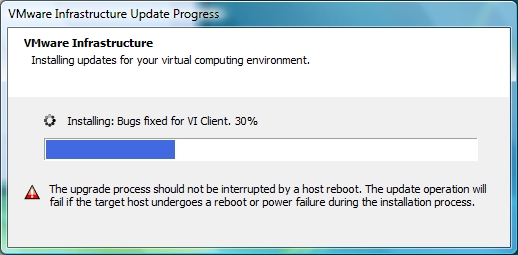
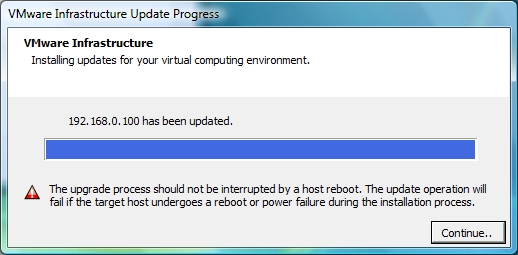
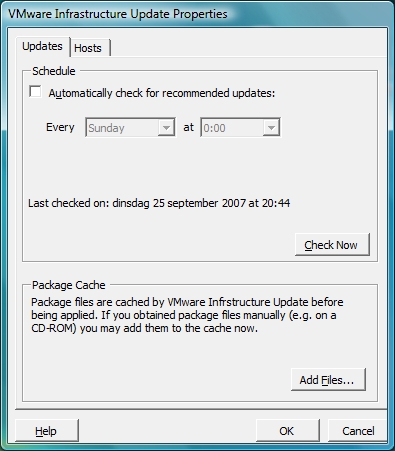
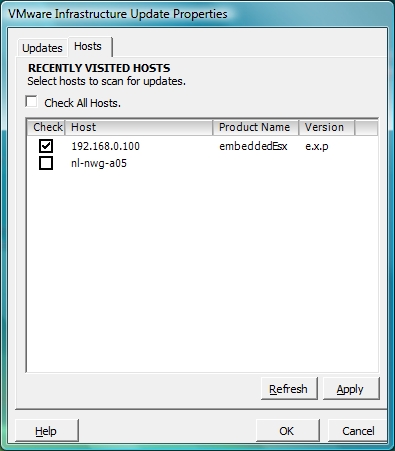
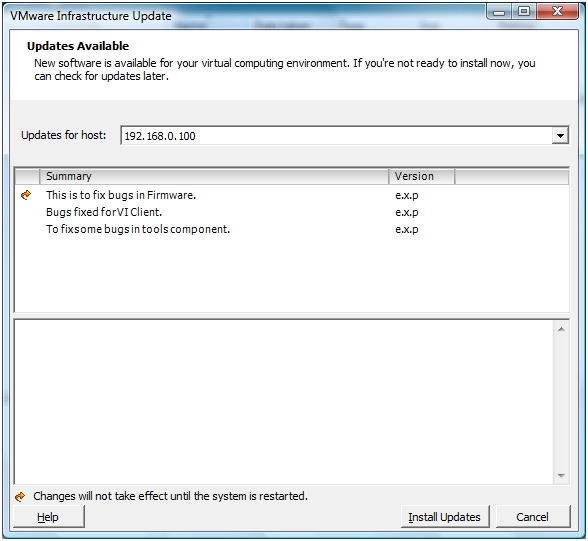
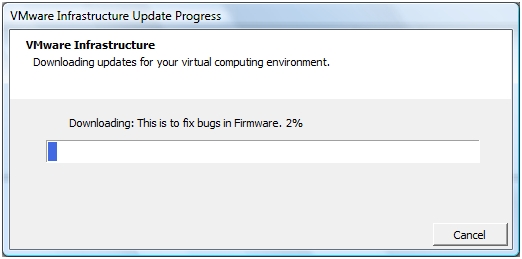
Just out of curiosity I double clicked the VMware Update Service icon and before I knew it, I was downloading and installing bug fixes into the Firmware of my ESX 3i Server. The VI Client and the tools component (whatever that may be)  were also automatically updated. I took around 45 minutes and I had to restart my ESX 3i Server. I made some screenshots during the process. You can even schedule the  Update Service.


Reverting to a Backup ESX Server HW Host Configuration

Each ESX Server HW host has two banks, Bank 1 and Bank 2, with one bank in active mode and the other in standby mode. The active bank is the one from which the system is booted.

When you update the ESX Server HW host, the VMware update service writes the newly downloaded update file to the standby bank. If the download is successful, the host is rebooted. On reboot, the newly updated bank becomes the active bank. If the update is successful, the host continues to boot from the new active bank until the next update. Upon the next update, the update service updates the standby bank, and the standby bank becomes the new active bank.

For example, suppose the current active bank is Bank 1. When you update the host firmware, the update process places the new build on Bank 2 and makes Bank 2 the active bank. If the update is successful, you continue to boot from Bank 2 until the next update. At that point, the update process places the new build on Bank 1 and makes Bank 1 the active bank.

If an update fails and the ESX Server HW host is not able to boot from the new bank, the host reverts to booting from the original bank the next time you reboot.

During the boot process, you can manually select the standby bank to boot into the previous build. This causes a rollback. In other words, when you manually select the standby bank, the standby bank becomes the new active bank and remains the active bank until you perform another update or manually select the other bank.


Posted by
Eric Sloof
in vSphere at 21:03 | No comments | 1 Trackback
Bookmark and Share
Trackbacks
Trackback specific URI for this entry
ESX 3i New Build (54662) Available
Well after the update I experienced my first purple screen of death. When I pressed the escape button I started an interactive session with the VMKDBG AKA the kernel debugger. I could see the logs and reboot the ESX 3i server. After another restart the se
Weblog: NTPRO.NL
Tracked: Sep 25, 22:02
Comments
Display comments as (Linear | Threaded)
No comments
Add Comment
Standard emoticons like :-) and ;-) are converted to images.
E-Mail addresses will not be displayed and will only be used for E-Mail notifications.

To prevent automated Bots from commentspamming, please enter the string you see in the image below in the appropriate input box. Your comment will only be submitted if the strings match. Please ensure that your browser supports and accepts cookies, or your comment cannot be verified correctly.
CAPTCHA


Twitter RSS FeedLinkedIn

www.hetesambal.nl

Veeam Webinar with Doug Hazelman: 5 Steps to Successful Backup & Replication for Hyper-V! Watch it now >>

Recent Entries

White Paper - Mobility and Disaster Recovery Solution for Virtualized Tier-1 Enterprise Applications
Saturday, January 21 2012
Video - Install vSphere Syslog Collector and configure ESXi logging
Friday, January 20 2012
Storage Design and Implementation in vSphere 5.0 - The Rough Cuts
Thursday, January 19 2012
Top 25 Free Tools for VMware vSphere presented by David Davis and Kendrick Coleman
Monday, January 16 2012
LG Android running VMware Horizon Mobile hands-on
Saturday, January 14 2012
Forbes Guthrie has released the vSphere 5 vReference Card
Thursday, January 12 2012
VMworld Session - VMware vMotion in VMware vSphere 5: Architecture, Performance & Best Practices
Wednesday, January 11 2012
Voice Over IP (VoIP) Performance Evaluation on VMware vSphere 5.0
Tuesday, January 10 2012
VMware vCloud Director 1.5 Performance and Best Practices
Monday, January 9 2012
VMware vCenter Site Recovery Manager 5.0 Performance and Best Practices
Sunday, January 8 2012

Archive

  • February 2012 (6)
  • January 2012 (22)
  • December 2011 (21)
  • November 2011 (24)
  • October 2011 (27)
  • September 2011 (26)
  • August 2011 (35)
  • July 2011 (26)
  • June 2011 (15)
  • May 2011 (20)
  • April 2011 (22)
  • March 2011 (22)
  • February 2011 (18)
  • January 2011 (13)
  • December 2010 (23)
  • November 2010 (18)
  • October 2010 (31)
  • September 2010 (22)
  • August 2010 (23)
  • July 2010 (19)
  • June 2010 (19)
  • May 2010 (19)
  • April 2010 (20)
  • March 2010 (23)
  • February 2010 (22)
  • January 2010 (30)
  • December 2009 (37)
  • November 2009 (29)
  • October 2009 (27)
  • September 2009 (36)
  • August 2009 (35)
  • July 2009 (35)
  • June 2009 (43)
  • May 2009 (35)
  • April 2009 (56)
  • March 2009 (51)
  • February 2009 (69)
  • January 2009 (69)
  • December 2008 (60)
  • November 2008 (56)
  • October 2008 (49)
  • September 2008 (63)
  • August 2008 (44)
  • July 2008 (54)
  • June 2008 (26)
  • May 2008 (34)
  • April 2008 (27)
  • March 2008 (38)
  • February 2008 (29)
  • January 2008 (35)
  • December 2007 (24)
  • November 2007 (23)
  • October 2007 (20)
  • September 2007 (54)
  • August 2007 (15)
  • July 2007 (22)
  • June 2007 (13)
  • May 2007 (8)
  • April 2007 (20)
  • March 2007 (10)
  • Recent...
  • Older...
Based on the s9y Bulletproof template framework
Powered by s9y – Template by Bulletproof development team.
  • NTPRO.NL
  • Online Training
  • VMworld
  • Videos
  • Tools
  • iTunes
  • About